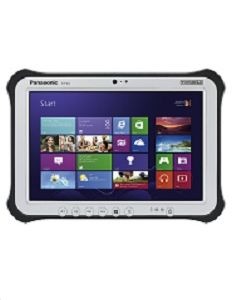
Searching for a panasonic toughbook brings up laptops, tablets, detachable systems, and listings from different product generations. The shared name identifies a product family, but it does not tell a buyer exactly what is included in a particular unit. A useful comparison begins with the full model identification and the configuration being offered.
That approach matters when a listing combines standard equipment with a long menu of available options. An available feature is not necessarily installed. Before deciding which machine fits the work, separate what the family supports from what the quoted device actually contains.
Choose the Working Format Before Comparing Extras
Start with how the computer will be held and used. Will most work happen at a keyboard, or does the task require carrying a screen while entering information? Ask users to demonstrate a normal task so the purchasing team can see the physical demands directly.
Panasonic describes the TOUGHBOOK 33 as a fully rugged 2-in-1, with a tablet that converts to a laptop using an optional keyboard. That is a concrete example of why the package contents matter. A tablet listing and a package including a keyboard should not be treated as identical purchases.
Check the proposed arrangement in the places it will be used. For keyboard work, evaluate the available surface and the position of connected cables. For handheld work, ask the user to try the device with any planned strap, handle, or other carrying accessory.
Do not decide from device weight alone. Include the selected keyboard, battery arrangement, and accessories in the evaluation. The useful question is whether the complete setup suits the working routine, including moving between locations and storing the equipment afterward.
Separate Standard Features From Optional Hardware
Build a configuration list using the exact quotation or product listing. Record the processor identification, memory, storage, operating system, and installed connection options. Where a detail is absent, ask for it in writing before treating two offers as comparable.
Panasonic’s TOUGHBOOK 33 documentation distinguishes included ports from optional ones and lists optional wireless features. That distinction illustrates a broader purchasing habit: read every “optional” carefully. A family-level description cannot confirm which choices were made for the specific computer being sold.
Ask the seller to state whether each required feature is installed, separately supplied, or unavailable in the offered configuration. This is especially useful when the task depends on a particular reader, positioning function, or mobile connection. A future possibility should not be recorded as a feature available on delivery.
For software, have the IT team review the proposed operating system and the requirements of the applications that will run on it. Confirm any required licensing and deployment arrangements. A machine that starts successfully still needs to meet the organization’s application and management requirements.
Match Documentation to the Exact Unit
Product names can remain familiar while configurations change. Use the model details on the offer to locate the relevant manufacturer information, then check whether the document describes that unit. Avoid borrowing a specification from a newer product page simply because the name looks similar.
The comparison should remain explicit enough for another person to verify. Keep the following items together with the quote:
- The complete model or part number and any stated generation information.
- The installed processor, memory, storage, and operating system.
- Required ports and wireless hardware, with optional items clearly identified.
- The keyboard, batteries, charger, and other accessories included in the package.
- Manufacturer documents that match the proposed equipment.
- Written confirmation of any requirement the listing does not answer.
Apply the same care to ruggedness descriptions. Panasonic publishes different protection ratings across the range, so avoid a blanket statement that every model has the same resistance. Consult the exact model’s documentation and use instructions when evaluating a particular working environment.
Support information also needs to be matched to the equipment. Locate the relevant driver and firmware resources and ask IT to review deployment requirements. Keep manufacturer hardware documentation separate from seller-specific service terms so responsibility remains clear.
Compare Complete Packages and Validate the Choice
Once the configurations are clear, compare the complete proposed packages. Add the accessories and services required to make each one usable for the same task. Otherwise, a lower initial quote may simply describe a less complete package.
Existing equipment should be part of that review. Record the part numbers of docks, chargers, mounts, and connected devices that the team wants to keep using. Ask for specific compatibility confirmation rather than relying on resemblance or a general statement about backward compatibility.
Where possible, evaluate the selected configuration with the real applications and peripherals before a wider rollout. Have users complete a representative task and have IT check its management requirements. Record any changes requested during the trial so the final purchase matches what was approved.
A Panasonic Toughbook comparison becomes manageable when each offer is reduced to confirmed equipment, documented limits, and a clear job requirement. When considering a quote from Tough Rugged Laptops, request those details together and resolve missing information before ordering. The right choice is the configuration that fits the task as delivered, with the required accessories and support arrangements accounted for.